Workflow Updates
Keep teams informed about important operational events and next actions.


See how education consultancies are working smarter with Omne Agent.
 Meta
 Messenger
 Instagram
 Email
 WhatsApp
 Website
 OpenAI / AI
 Call Management
 File Manager
Mailchimp
Slack
Connect workflow updates, reminders and next actions. Help your team understand what changed, why it matters and what needs attention next.
Review Aarav’s lead record and plan the first conversation.
Lead record · Counselor ownershipCheck Riya’s earlier notes before the scheduled follow-up.
Student context · Next actionKeep workflow updates and reminders connected to the work your teams need to coordinate.
Keep teams informed about important operational events and next actions.
Configure notification rules around the workflow events that matter to your consultancy.
Support clear ownership when responsibilities are assigned through configured workflows.
Help staff keep upcoming student conversations and scheduled actions in view.
Keep operational responsibilities and deadlines visible to your team.
Keep important updates close to the relevant student, application or task.
Help counselors, admissions and operations stay informed as work moves forward.
Align access to operational information with authorized user roles.
Connect useful updates to the people and operational records behind them.
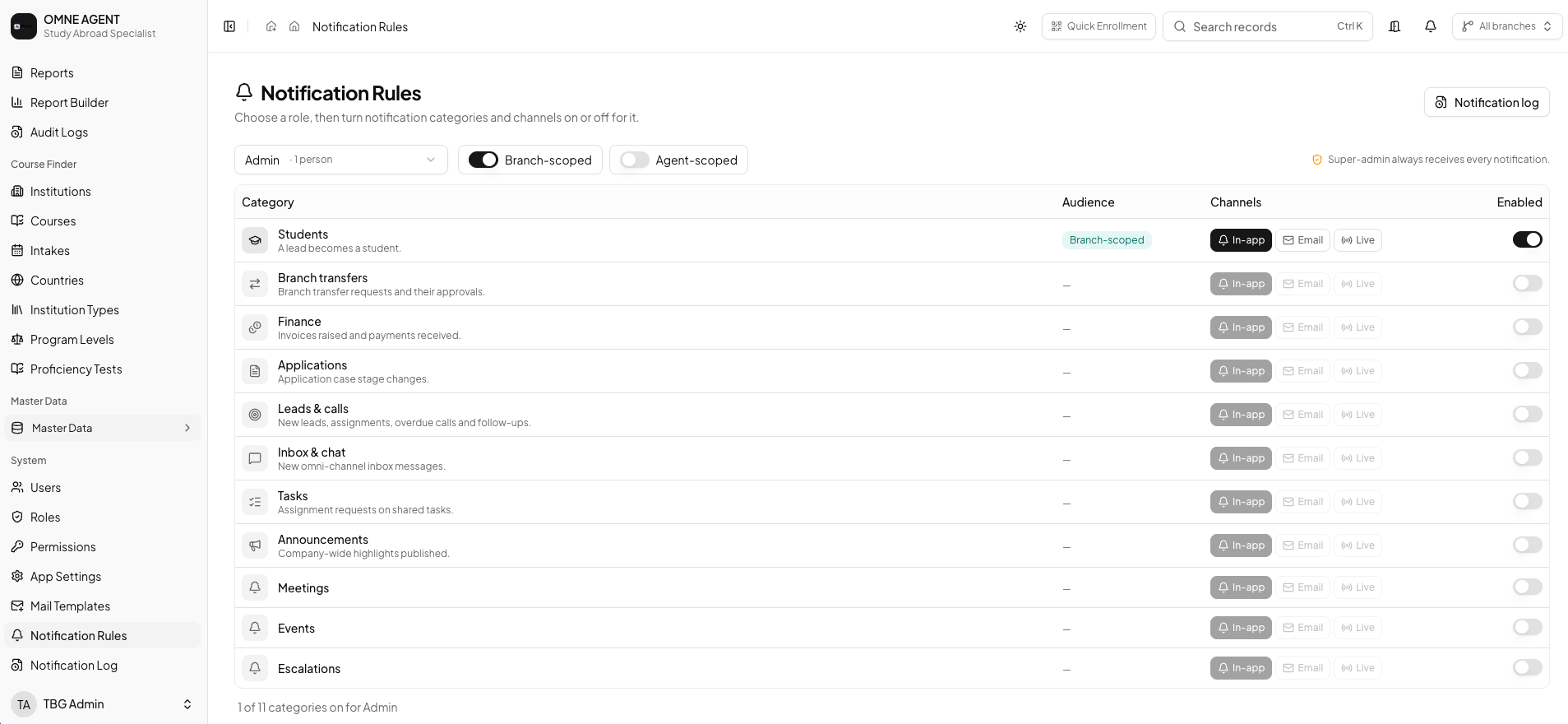
Configure notification rules around important workflow events and actions. Focus on the updates your teams need to coordinate responsibilities and keep the student journey moving.
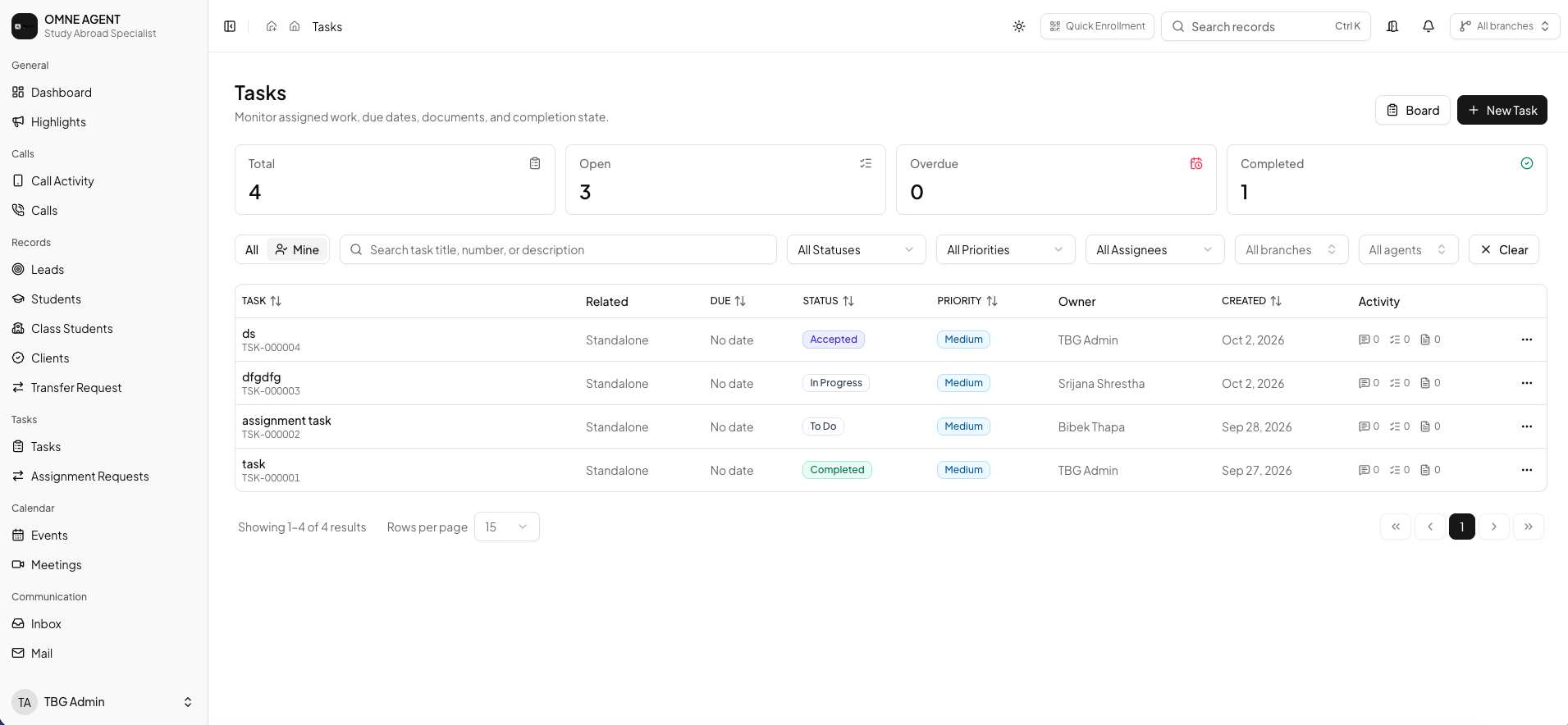
Assignments, task creation and reminders can support configured workflows. Keep the student or application context available so the team understands what needs attention.
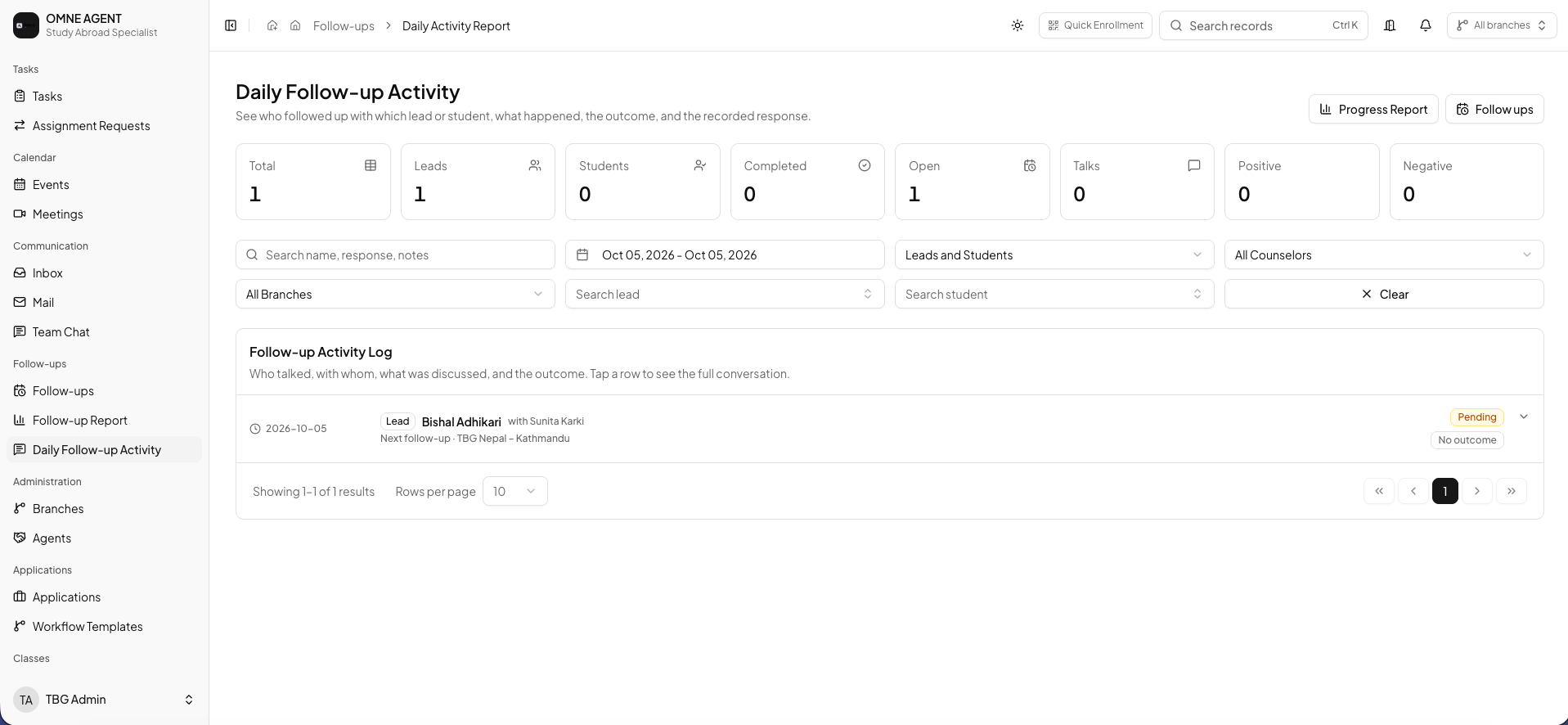
Use follow-up views and activity history to coordinate the work behind an update. Record outcomes and keep the next action clear for colleagues.
The essentials for configuring updates around your consultancy’s workflow.
Explore how Omne Agent connects notification rules, reminders and team responsibilities in a personalized demo.