Assigned lead workspace
Keep assigned inquiries and priorities together.


See how education consultancies are working smarter with Omne Agent.
 Meta
 Messenger
 Instagram
 Email
 WhatsApp
 Website
 OpenAI / AI
 Call Management
 File Manager
Mailchimp
Slack
Keep inquiry details, counseling notes and follow-ups together so you can guide each student with the context of their previous conversations.
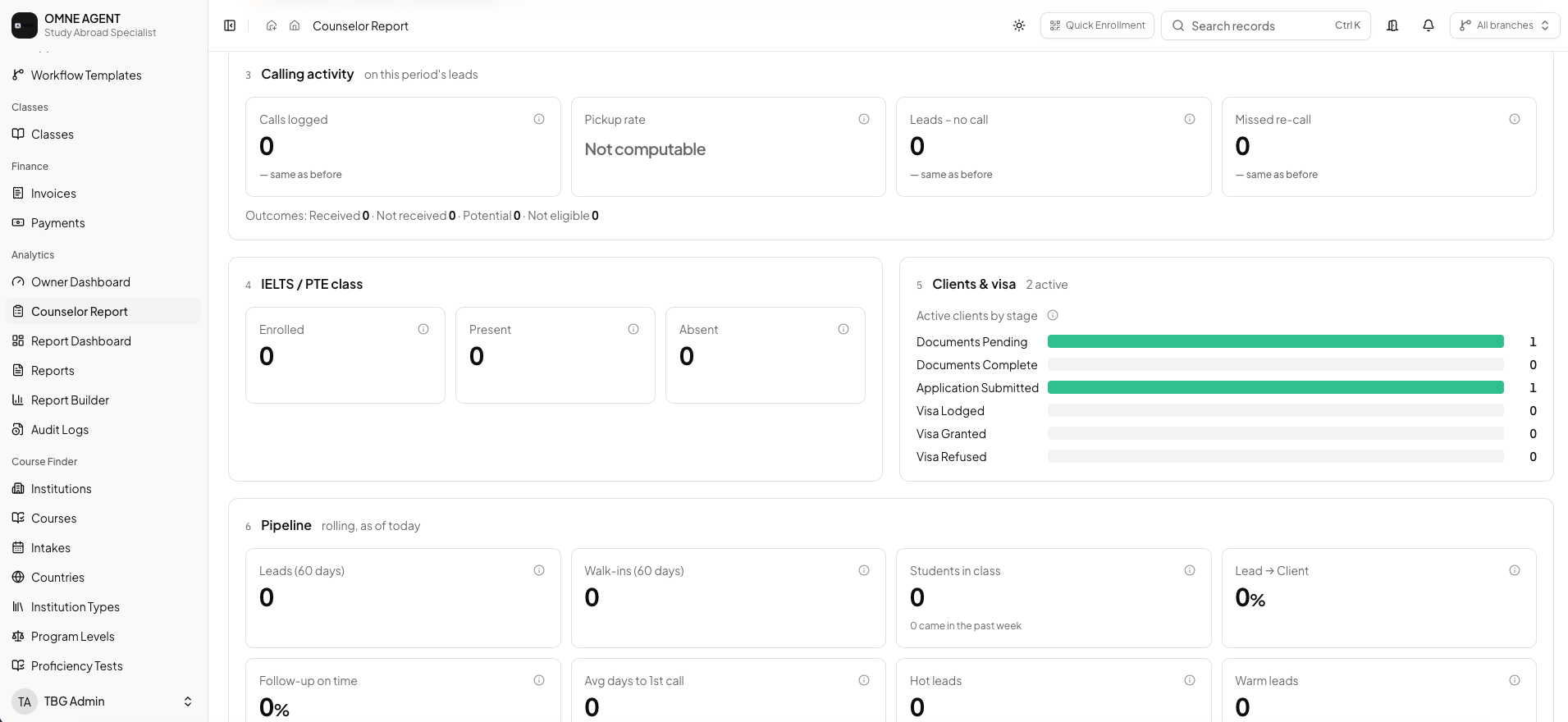
Keep assigned inquiries and priorities together.
Prepare for conversations with previous notes and student context.
Record conversations and meetings against the relevant lead.
Schedule the next conversation and review overdue follow-ups.
Move qualified leads forward with their history connected.
Make handovers easier with a shared student record.
Review a lead profile before each conversation, record what matters and schedule the next follow-up without losing the history.
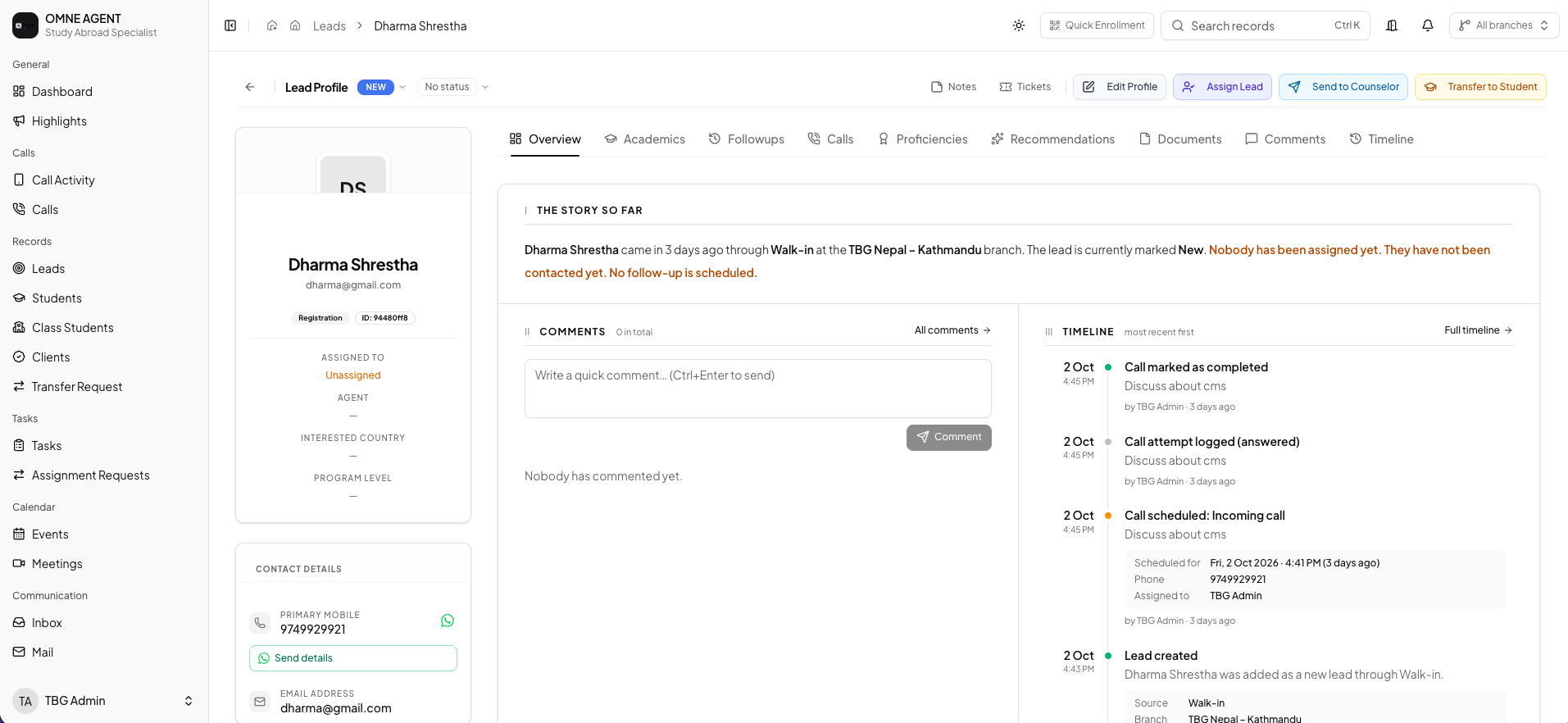
Review the lead profile and previous activity before guiding a student through their next decision.
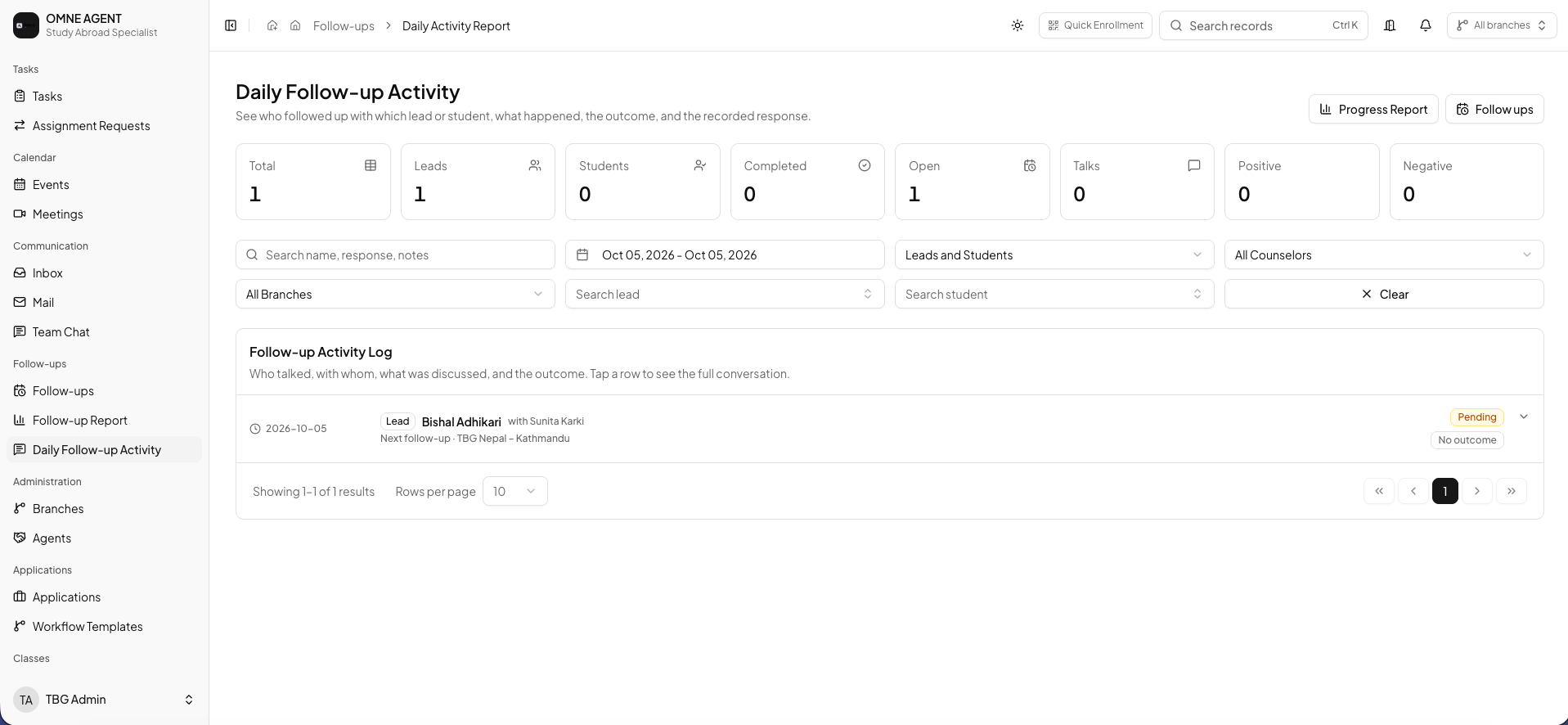
Use a shared follow-up view to organize upcoming conversations and review work that needs attention.
Keep inquiry details, counseling notes and follow-ups together so you can guide each student with the context of their previous conversations.
Assigned lead workspace, Counseling notes and history, Calls and meeting activity, Scheduled follow-ups, Lead-to-student conversion, Connected student records.
User roles and permissions help give each team member access appropriate to their responsibilities. Available capabilities depend on your plan and configuration.
Contact the Omne Agent team to arrange a demonstration of the workflows relevant to your team.
Explore how Omne Agent supports counselors in a personal demonstration.